Lunch reminder
What’s for lunch? Tahwa asks before you wonder
A gentle reminder before lunch suggests a dish from what’s in your kitchen.
✓ Free, and you can turn it off anytime
What can I make with these ingredients? Pick what’s in your fridge and Tahwa finds, from 530 easy recipes with photos — Arabic, Middle Eastern and Western — the dishes you can cook right now — then cooks with you step by step.
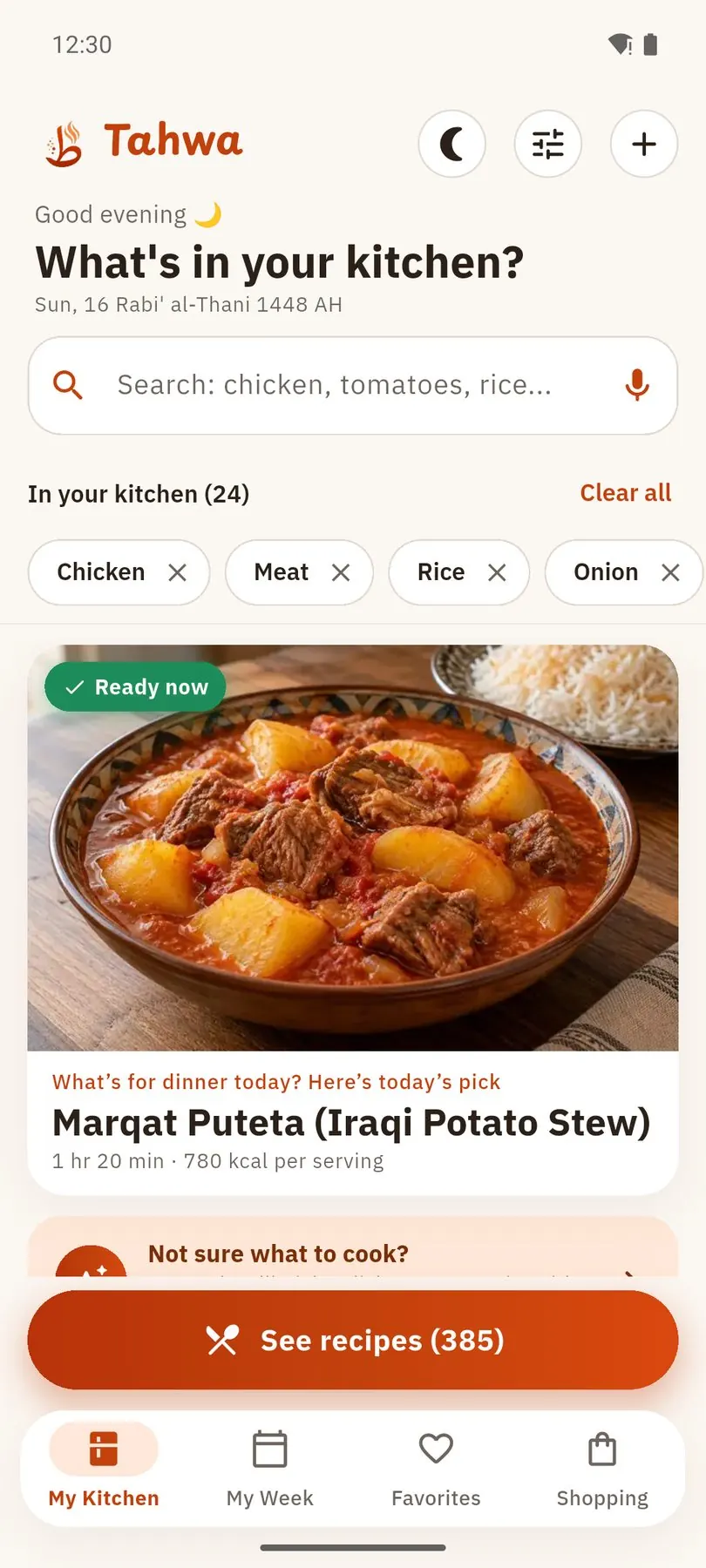
Scroll through a whole lunch: from the ingredients you have to “enjoy your meal”
A gentle reminder before lunch suggests a dish from what’s in your kitchen.
✓ Free, and you can turn it off anytimeMeat, potatoes, tomatoes, onion… type them or just say them.
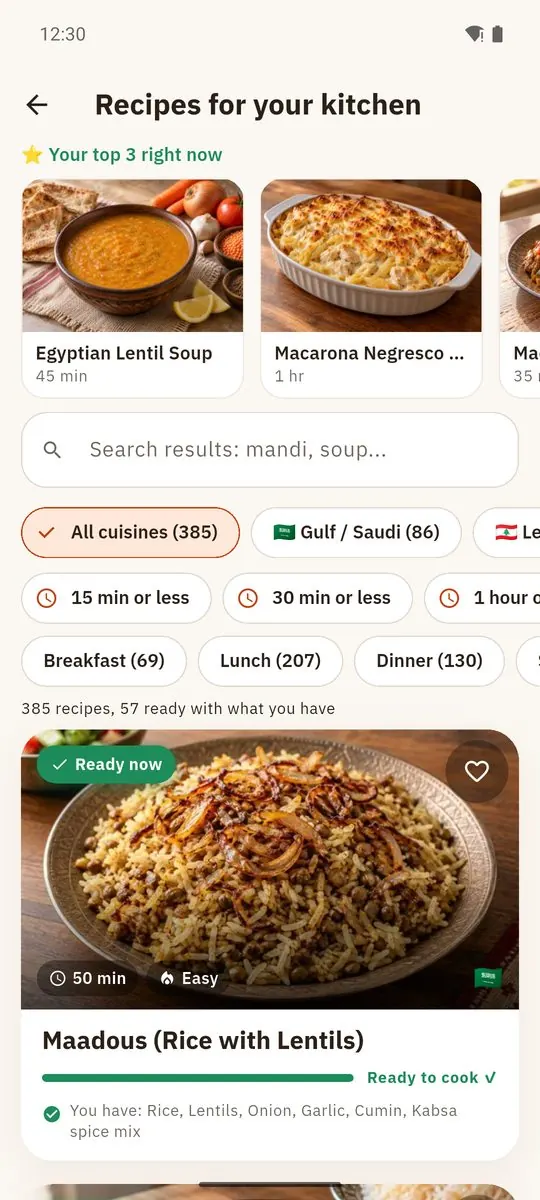
✓ No sign-up, no fuss530 recipes with photos — dishes with your main ingredient that you can make now come first.
✓ Baked Potatoes with Meat: ready to cookTime and calories up front — change the number of people and every amount adjusts.
✓ Sized for your familyWhat you have is ticked off; anything missing goes to your grocery list in one tap, sorted by aisle.
✓ Nothing forgotten at the storeOne step at a time in big text, the screen stays on, and steps can be read aloud.
✓ Never lose your placeLock your phone and relax — when time’s up you get an alert, even with the app closed.
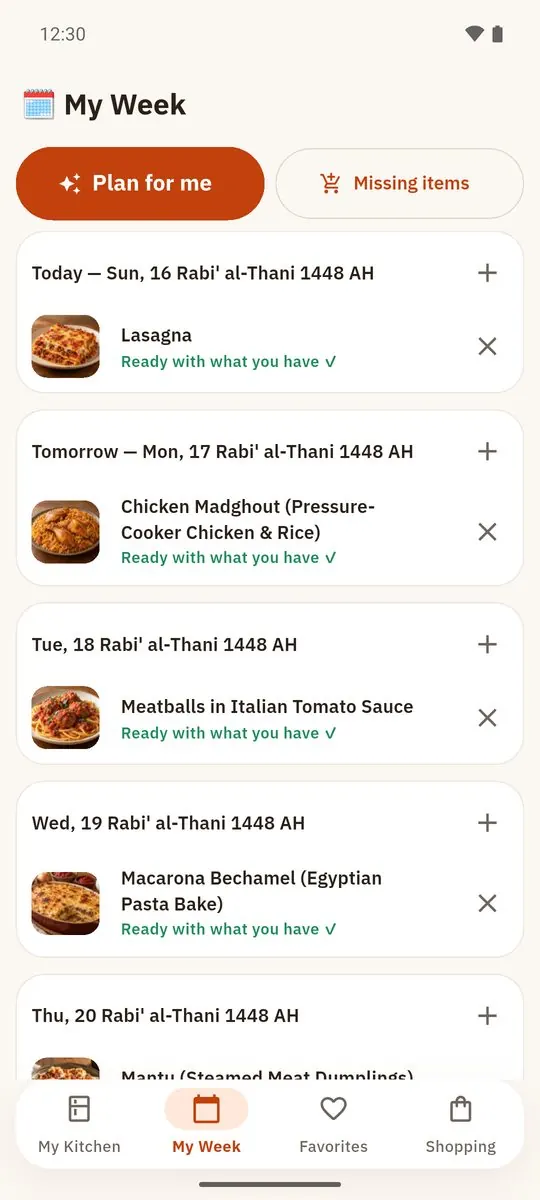
✓ No more burnt dinnersPlan your weekly meal plan in one tap: today’s plan is free, the full week comes with Plus.
✓ “What’s for dinner tomorrow?” — solvedFrom “what’s for dinner?” to “enjoy your meal” in one app.
Tap what’s in your fridge, or start with a “basic kitchen” — dishes you can cook right now come first.
Big text, the screen stays on, a timer for every timed step, and steps read aloud.
Iftar and suhoor countdown for your city, and a full iftar table from your kitchen.
Missing items go to a list sorted by supermarket aisle — share it on WhatsApp.
Allergies or dishes someone won’t eat? Tahwa keeps them out of every suggestion.
All recipes and photos are inside the app. No account, and your recipes, pantry and lists stay on your phone.
Most of the app is free forever. Plus saves you time every week — monthly, or yearly with a 7-day free trial; cancel anytime in the store.
A few recipes from the app, with amounts and method. In the app, pick your ingredients and see which ones you can make now.


Browse the recipesWhat to cook with what I have
Pick the ingredients in your kitchen in Tahwa and it lists the recipes you can cook right now, then the ones missing just one ingredient — with a substitute from your own kitchen.
No. All recipes and their photos are inside the app and open offline. There is no sign-up.
Yes. Tahwa works in English and Arabic — switch anytime in Settings. All 530 recipes are available in both languages.
Tahwa is free on Google Play for Android. The iPhone version is coming soon to the App Store.
Anytime from your subscriptions in Google Play or the App Store.
What’s cooking today? Leave it to Tahwa.


